How to Choose Your Chair, Adjust It, Care for It, and More
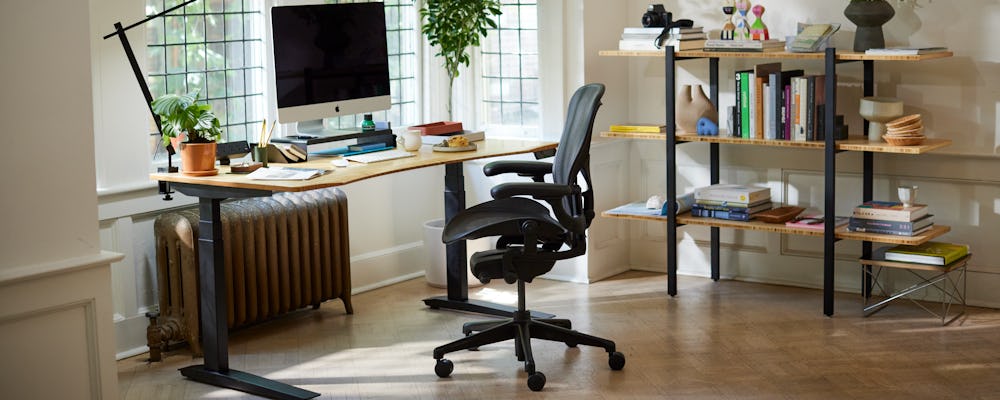
Designed by Bill Stumpf and Don Chadwick nearly 30 years ago, the Aeron Chair revolutionized office seating when it launched in 1994. As pioneers of ergonomics and material innovation, the designers partnered with Herman Miller to challenge industry norms by moving beyond traditional foam and fabric, developing breathable Pellicle® suspension, proprietary kinematics and grounding the chair in extensive human-centered research.Aeron’s evolution has continued through purposeful innovation. In 2016, the original Classic Aeron was remastered by Don Chadwick, and in 2021, Herman Miller advanced its sustainability by incorporating ocean-bound plastic. Today, Aeron continues to move forward as a benchmark for ergonomic performance, material innovation, and responsible design.

Materials Make the Difference
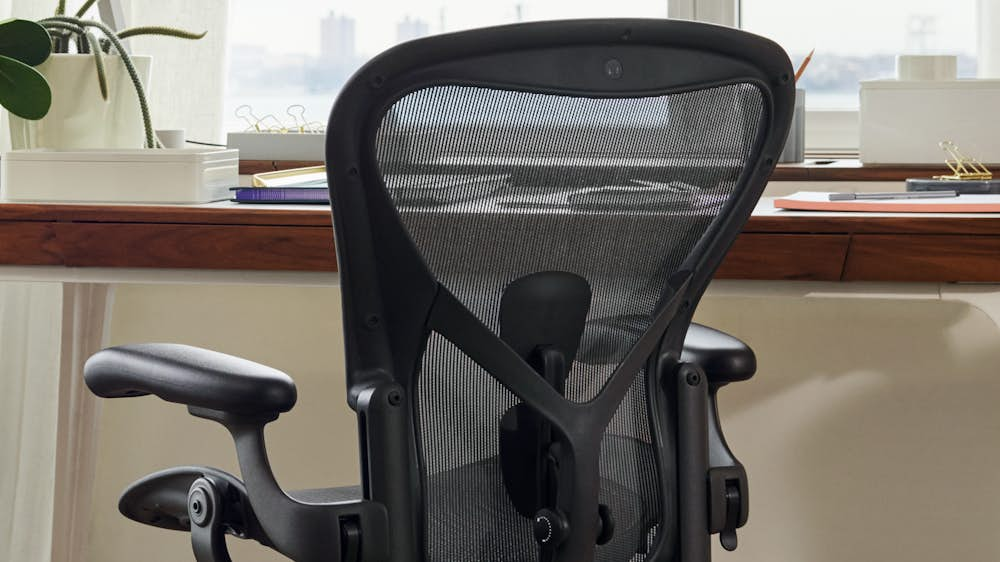
There’s more than one reason to love the bestselling, remastered Herman Miller Aeron office chair. It’s designed to be good for the body—and better for the environment. Aeron is made with more than 50 percent recycled materials, including ocean-bound plastic, reinforcing its commitment to sustainability without compromise. At the core of Aeron’s performance is 8Z Pellicle, an advanced suspension system engineered for smarter weight distribution across eight precisely targeted zones with varying tension and stiffness. Each zone is intentionally designed to achieve three objectives: support, stabilize, and soften.
- Support zones at the top and bottom of the backrest, and the front and back of the seat, gently deflect the body to encourage a supported, balanced posture.
- Stabilize zones engage flexible areas like the lumbar spine, promoting proper alignment while still allowing healthy movement.
- Soften zones contour around peak pressure points—such as the sit bones and shoulder blades—to relieve pressure and cradle the body. Together, these eight zones deliver the performance the body needs to stay active, supported, and comfortable throughout the day. Aeron’s breathable 8Z Pellicle fabric also allows air, body heat, and water vapor to pass freely through the seat and back, helping maintain a consistently comfortable, even temperature—no matter how long the workday last.
7 Steps for Choosing an Aeron Chair

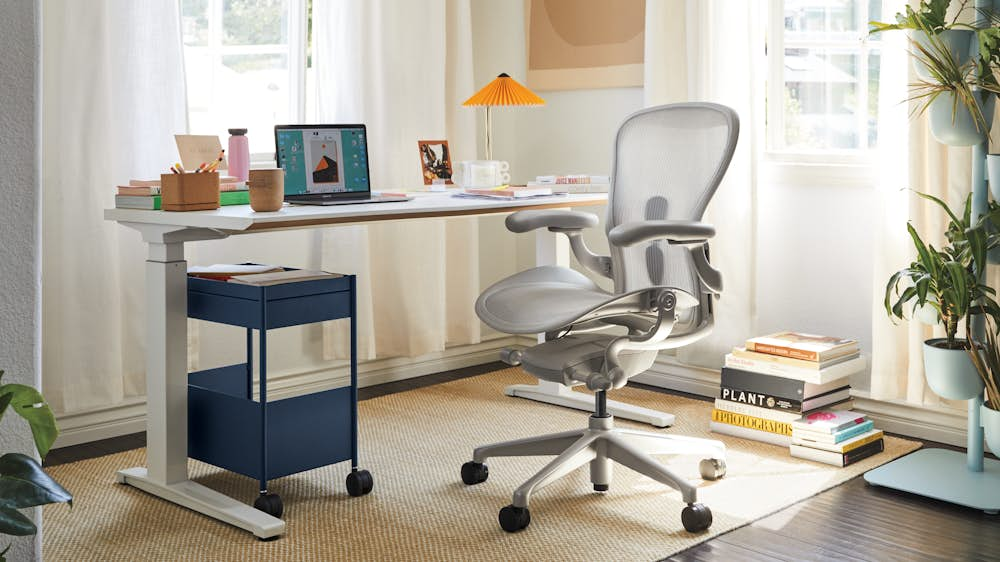
Aeron is available in ten pre-configured colorways that combine a frame and a base/chassis color including:
- Graphite frame with graphite base
- Graphite frame with polished aluminum chassis and base
- Mineral frame with satin aluminum base
- Mineral frame with polished aluminum chassis and base
- Black frame with onyx ultra-matte base
- Black frame with polished aluminum chassis and base
- Jasper frame with jasper aluminum base
- Jasper frame with polished aluminum chassis and base
- Nightfall frame with nightfall aluminum base
- Nightfall frame with polished aluminum chassis and base

2. Choose a Size
Determine what size Aeron Chair is right for you:
- Size A = Small
Recommended for those 4’10”–5’4” tall, weighing up to 300 pounds. - Size B = Medium
Recommended for those 5’2”–6’ tall, weighing up to 350 pounds. - Size C = Large
Recommended for those 5’10”–6’6” tall, weighing up to 400 pounds. - Chairs weighs between 28 and 43 pounds
The B-size chair is designed to fit a broad range of people, and it’s recommended for those who fall in the A/B or B/C categories. To find which size is right for your specific height and weight, check out our a href="https://library.hermanmiller.group/asset/821cc3c2-38da-46c7-80a3-9af140bb3bc1/HM_Size-Fit-Reference.pdf">Aeron Chair size/fit reference guide. Since everyone’s body is different, we recommend that you visit a Herman Miller store to get your best fit.

3. Choose Back Support
Choose from three different types of support: Basic Back Support, Adjustable Lumbar Support, PostureFit and Adjustable PostureFit SL™.
Basic or Zonal Back Support is provided by the 8Z Pellicle material via the eight zones of varied tension, designed to support your back.
Adjustable Lumbar Support adjusts to support the natural curve of the lumbar region of the spine. It can be adjusted vertically over a 4.5” range.
Adjustable PostureFit SL refers to the sacral and lumbar regions of the spine (the base of your spine up to your midback). Aeron PostureFit features two individual pads that flex independently: The top pad supports your lumbar (midback), and the bottom stabilizes your sacrum (the base of the spine). PostureFit SL is beneficial because it activates a healthful posture and helps reduce muscle fatigue, keeping you strong while you sit.
Fixed Posture Fit supports your spine at its lowest point, the sacrum, and reinforces your pelvis, preventing slouching and fatigue while you sit.
4. Choose Tilt
Tilt refers to the amount of effort needed to recline comfortably while still feeling balanced and supported. A unique, innovative mechanism called Harmonic™ 2 Tilt helps the chair move with you naturally, allowing you to shift from forward to reclining postures intuitively, smoothly, and at an optimal balance point.
Basic Tilt features a tension knob that allows you to adjust the amount of effort needed to recline. It does not have a limiter mechanism.
On the other hand, the Tilt Limiter allows you to limit the recline range between fully upright and fully reclined. It can be limited at one of three postures: upright, mid-recline, or full-recline.
Finally, the Seat Angle Adjustment changes the seat from horizontal to a 5-degree forward tilt, ideal for people who sit at a slightly forward angle.
5. Choose Arm Style
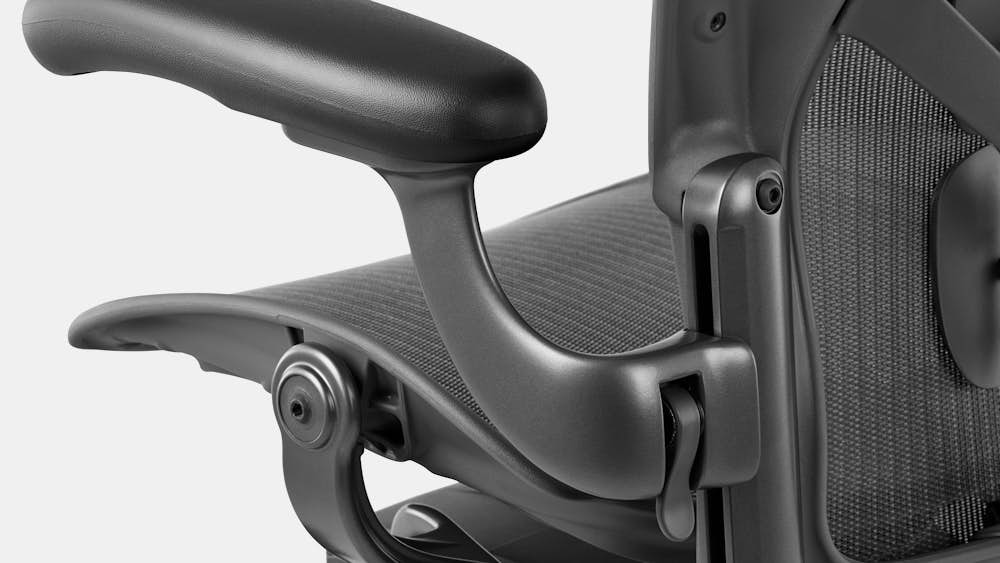
There are three different arm types from which to choose: Stationary, Height-Adjustable, and Fully Adjustable.
Stationary Arms are set at the following heights:
- Chair Size A: 7.8” from seat
- Chair Size B: 8.5” from seat
- Chair Size C: 8.5” from seat
Height Adjustable Arms adjust from a height of 6.8” above the seat to 10.8” above the seat, giving you the ability to support your arms at a comfortable height. For the healthiest posture while typing, your elbows should be bent at approximately 90 degrees, resting gently on the arms of the chair.
Fully Adjustable Arms feature the same height adjustment range (6.8”–10.8”). They also slide backward and forward and pivot inward and outward.
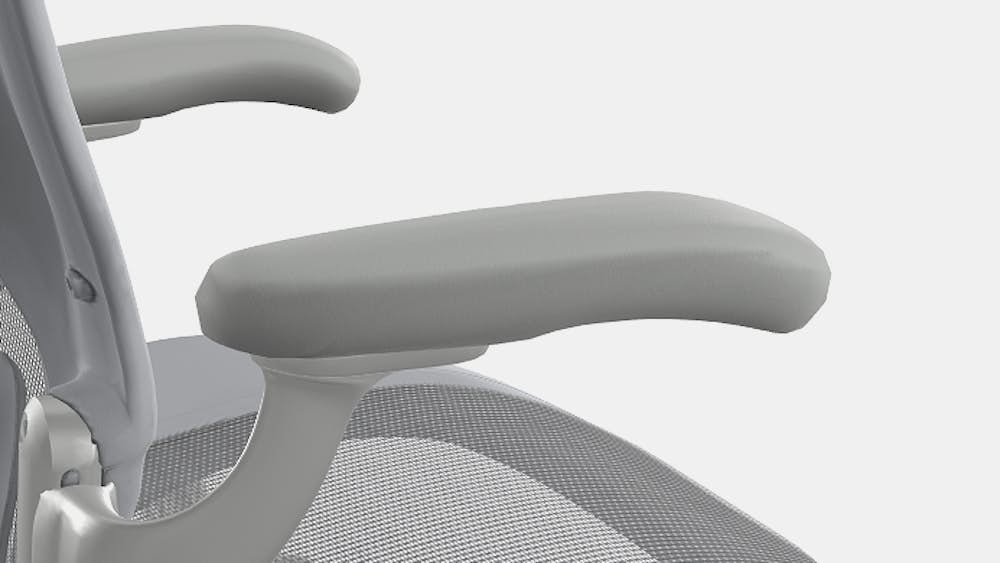
6. Armpad color is automatically determined by the frame color you select:
- Chairs with graphite frames have black armpads.
- Chairs with mineral frames have dark mineral armpads.
- Chairs with black frames have black armpads.
- Chairs with jasper frames have dark jasper armpads.
- Chairs with nightfall frames have dark nightfall armpads.
Armpads are also available in Leather which come in the same color combinations
7. Choose Casters
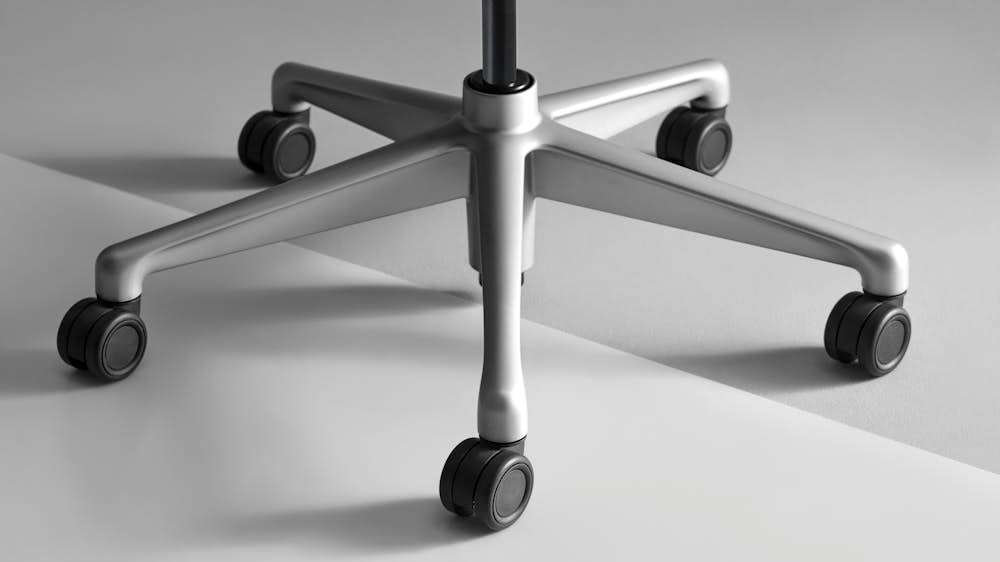
Designed for use on low-to-medium-pile carpet, the 2.5”-diameter Carpet Caster has durable black nylon wheels.
The Multi-Surface Caster with Quiet Roll is designed for hard surfaces such as wood, ceramic tile, vinyl tile, or carpeted floors. It’s also 2.5” in diameter and has a subtle braking feature that prevents chairs from rolling away when they’re not occupied. These casters are also made of durable black nylon, featuring a soft tread for better traction and noise reduction. Quiet Roll Technology controls vibrations within the base when the chair rolls.
How to Adjust Your Aeron Chair
Wondering “How do I use my Herman Miller Aeron?” Follow these steps to adjust your Aeron for the most comfortable sit.
Seat Height
A paddle-shaped lever on the right side of the chair adjusts the seat height. To raise the seat, take your weight off the chair and lift the lever up. To lower the seat, lift the lever up while seated with your weight on the chair. Ensure your feet rest flat on the floor to maintain a healthful posture.
Adjustable Lumbar Support
An adjustable strap on the back of the chair controls the height of the Aeron lumbar support pad, which should be positioned to comfortably support the natural curve of your spine. Using equal pressure on each end of the support, raise or lower it to the desired position within the adjustment track.
Adjustable PostureFit SL
A knob on the back of the chair controls the PostureFit SL feature. To engage PostureFit SL, sit with your back against the seatback, then reach behind the chair and turn the knob forward until you find the support that feels right for you (it should support the natural alignment of your spine and provide lower back comfort). To disengage PostureFit SL, turn the knob backward while seated.
Tilt Tension
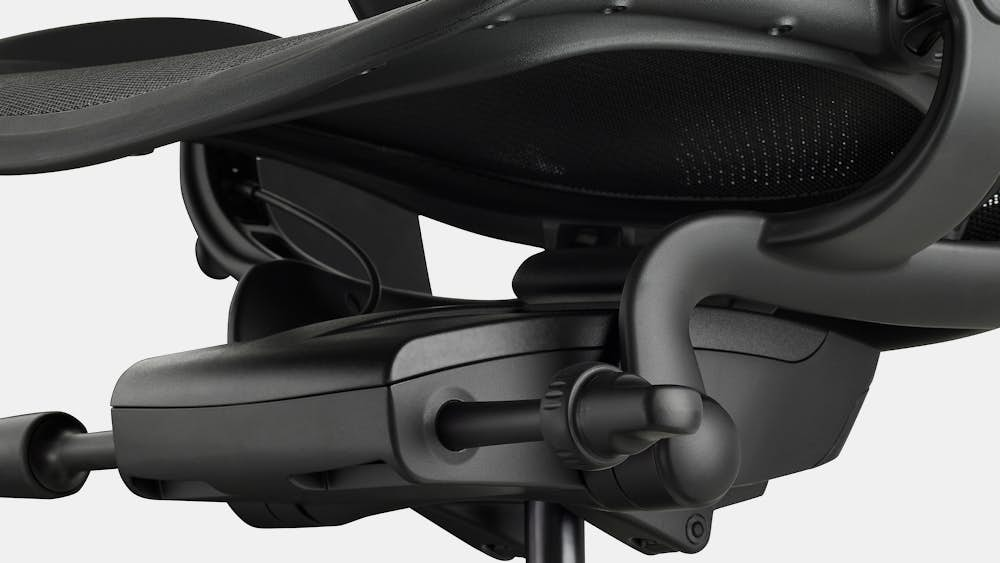
All Aerons feature a long stem with a knob – on the right side of the chair, below the seat – that controls the tilt tension, or the amount of resistance you feel when leaning back. To increase tension (i.e, feel more resistance when leaning back), turn the knob forward while seated. To decrease tension, turn the knob backward.
Tilt Limiter and Seat Angle
If you’ve opted for the Tilt Limiter and Seat Angle feature, you’ll find two knobs on the left side of the chair, below the seat. The inside knob can be rotated forward to limit the tilt range or backward to release the tilt limiter. When you want to sit in an upright or partially reclined position, the tilt limiter should be engaged.
The other of the two knobs controls the seat angle. To move the seat from a horizontal position to a 5-degree forward tilt, lean back and rotate the knob forward. To resume a horizontal position, lean back and rotate the knob back all the way.
Arms
A lever on the base of the arm support adjusts the arm height. Lift the lever to unlock it, then grasp the base of the arm support and raise or lower it to your desired height. Finally, lower the lever to lock the arm in place.
To adjust the arm angle, grasp the front end of the armpad and pivot it to the left or right. To adjust the arm depth, grasp the front end of the armpad and slide it forward or back.
For more help adjusting your Aeron Chair, watch our step-by-step video showing how to make each adjustment.
How to Care for Your Chair
With regular care and maintenance, your Aeron will last for years to come. The base, frame, and armpads can easily be cleaned: Wash with a soft cloth soaked in mild detergent and warm water, rinse thoroughly, and dry with a soft cloth.
8Z Pellicle fabric should be vacuumed as needed using an upholstery attachment. Spot-clean stains with a soft, absorbent cloth. For additional details, check out our comprehensive Care and Maintenance Guide.
Warranty
The Aeron Chair is covered by a 12-year warranty that includes parts and labor. It also covers the cost of service when warranty work is performed in the U.S. or Canada.
If your Aeron needs service, start by checking with the Herman Miller Dealer or Retailer where you purchased it to determine if it’s still under warranty and eligible for replacement or repair. If so, you’ll need to provide a clear picture of the manufacturing label (with complete product number, FO number, and manufacture date), as well as a description of the issue and a photograph identifying the issue.
Where is the serial number on a Herman Miller Aeron?
To locate the FO or serial number, reference our Warranty and Service page, where you can find examples of the manufacturing label to help you identify the necessary information, plus discover answers to more frequently asked questions regarding the warranty of your Aeron.
Not sure if the Aeron Chair is right for you?
Check out our Office Chair Quiz to find your perfect fit. Or read our Aeron Classic vs. remastered guide to learn more about the Aeron models available from Herman Miller Refurbished.
Choose Your Aeron Chair
Aeron Chair Reviews
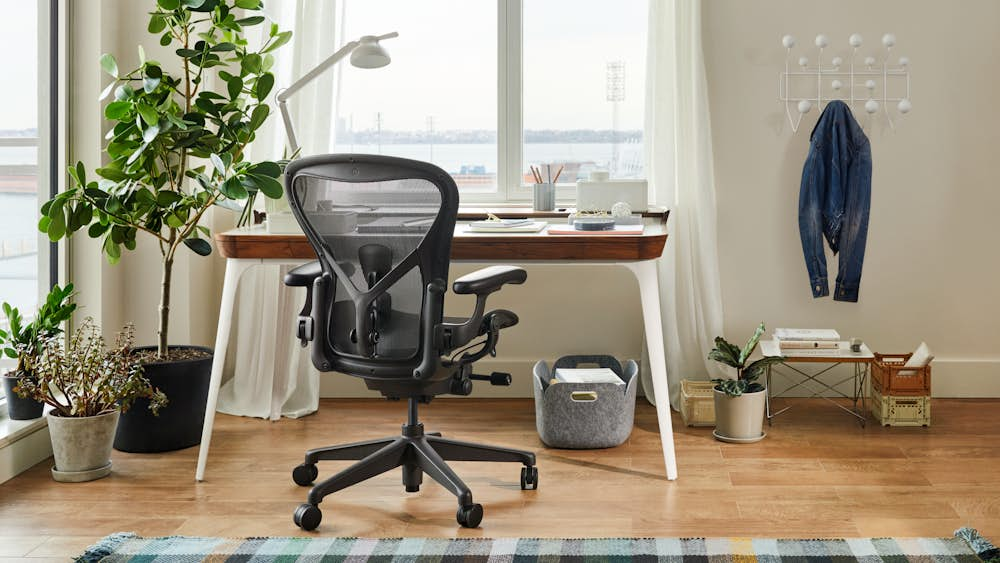
“This is the most comfortable chair I have ever owned. If you’re looking to save yourself some back pain over the years, invest in this chair.” – Marie R., Customer
“Comfortable; adjustable, moves easily across the floor. Good back support for hours!” – Kathleen K., Customer
“The Aeron Chair is hands down the best office chair I have ever used. As someone who spends long hours sitting at a desk, I was looking for a chair that would provide comfort and support while also being adjustable to my body type. The Aeron Chair delivered on all fronts.” – Katherine P., Customer